What Google Maps scrapers do, what Google’s terms allow, what the Places API costs, and a workflow for turning local business research into a clean B2B lead list (with a CSV template).
Short answer: a Google Maps scraper extracts business listings (name, category, address, phone, website, ratings) from Google Maps into a spreadsheet. Tools such as Apify actors and Outscraper do this in a few clicks, but Google’s Maps Platform terms prohibit scraping Google Maps content, and storing it is restricted even when you use the official Places API. The workable approach for B2B lead generation: use Google Maps or the Places API to discover local businesses, then build your lead records from sources you’re allowed to keep, such as business registers and the companies’ own websites. This guide explains each method, what it costs, the rules, and a step-by-step workflow with a CSV template.
Why Google Maps is useful for local B2B prospecting
For some markets, Google Maps is the most complete picture of who’s out there. Installers, clinics, restaurants, garages, dental practices, logistics depots, wholesalers: businesses that serve local customers usually keep a listing up to date because their customers use it. Contact databases built from LinkedIn and company websites often miss these businesses, because many owners aren’t active on LinkedIn.
That makes Maps a strong discovery tool: which businesses of a given type exist in a given region, whether they’re open, roughly how big they are (number of locations, reviews), and where they are.
What business information is publicly visible
A typical Google Maps listing shows the business name, category, address, opening hours, phone number, website, rating and number of reviews, photos and sometimes attributes such as services offered. Note what’s not there: the name of the owner or manager, their email address, company size or registration number. For B2B outreach, Maps gives you the company, not the person.
Different ways to collect the data
Data collection approaches
Four ways to get local business data
Low volume
Manual research
Search Maps, open listings, note the businesses that fit. Slow, but within normal use.
Official
Places API
Google’s official API. Paid per request, governed by the Google Maps Platform terms, including limits on storing data.
Your risk
Third-party scrapers
Tools such as Apify actors or Outscraper extract listings from the Maps interface. Google’s terms prohibit scraping; you carry the risk.
Often better
Other sources
Business registers, OpenStreetMap, industry directories and B2B databases with local company data.
Manual research
Searching Maps, opening listings and noting the businesses that fit is slow, but it’s normal use of the product and works well for a few dozen high-value accounts. It also teaches you what good targets look like before you scale.
The Google Places API
The Places API is Google’s official way to access place data in your own software. You search (for example “HVAC contractor in Utrecht”), and the API returns places with the fields you request. You pay per request, and the price depends on the fields: according to Google’s documentation, phone number, website, rating and opening hours are Enterprise-tier fields, while name and address sit in cheaper tiers.
Google Places API (New)
Price per 1,000 requests, first tier
Using the API doesn’t mean you can keep everything it returns. Google’s Maps Service Specific Terms allow you to store place IDs and to cache latitude and longitude for up to 30 days; the general terms prohibit caching other Google Maps content except as expressly permitted. In practice: you can use the API to find and look at businesses, and keep the place ID to retrieve them again, but not build a permanent copy of Google’s listing data in your CRM.
Third-party scrapers
Tools such as Apify (a platform with many community-built Google Maps “actors”) and Outscraper extract listings directly from the Maps interface and export them to CSV or Excel. They’re popular because they’re cheap and fast: Outscraper’s pricing starts with 500 free businesses per month and then $3 per 1,000, and Apify actors are typically priced per 1,000 results on top of Apify’s platform usage.
The catch is the terms. Section 3.2.3 of the Google Maps Platform Terms of Service says customers will not export, extract or otherwise scrape Google Maps content for use outside the services, and lists copying business names, addresses and user reviews as an example. Google’s general terms of service also restrict automated access. Whether and how this can be enforced against a particular use is a legal question that depends on jurisdiction and circumstances, and we won’t pretend otherwise: if you use a scraper, you take on the contractual and legal risk, and “the tool said it was fine” doesn’t shift it.
Other sources that are often better
- Business registers. In the Netherlands, the KVK Handelsregister offers company data and paid APIs; Belgium’s KBO/BCE and Germany’s Handelsregister have public company data. Registers give you legal names, registration numbers and addresses you’re allowed to use.
- OpenStreetMap. OSM contains many business locations under the Open Database License, which allows reuse with attribution and share-alike conditions.
- Industry directories and associations. Member lists of trade associations are often the most targeted source for a niche.
- B2B databases. Some providers, such as Vainu in the Nordics, focus on company registers and local business data.
Which method should you use?
| Method | Speed | Cost | Can you keep the data? | Best for |
|---|---|---|---|---|
| Manual research | Slow | Time only | Your own notes and research, yes; copying listings in bulk, no | A few dozen key accounts |
| Places API | Fast | Per request; free monthly allowance per SKU | Place IDs yes; other content only as the terms allow | Discovery and live lookups inside your own tools |
| Third-party scrapers | Fast | Low per 1,000 results | Google’s terms prohibit scraping; at your own risk | Not recommended as a basis for your CRM |
| Registers, OSM, directories | Medium | Free to moderate | Yes, within their licences | The records you build your CRM on |
A step-by-step workflow
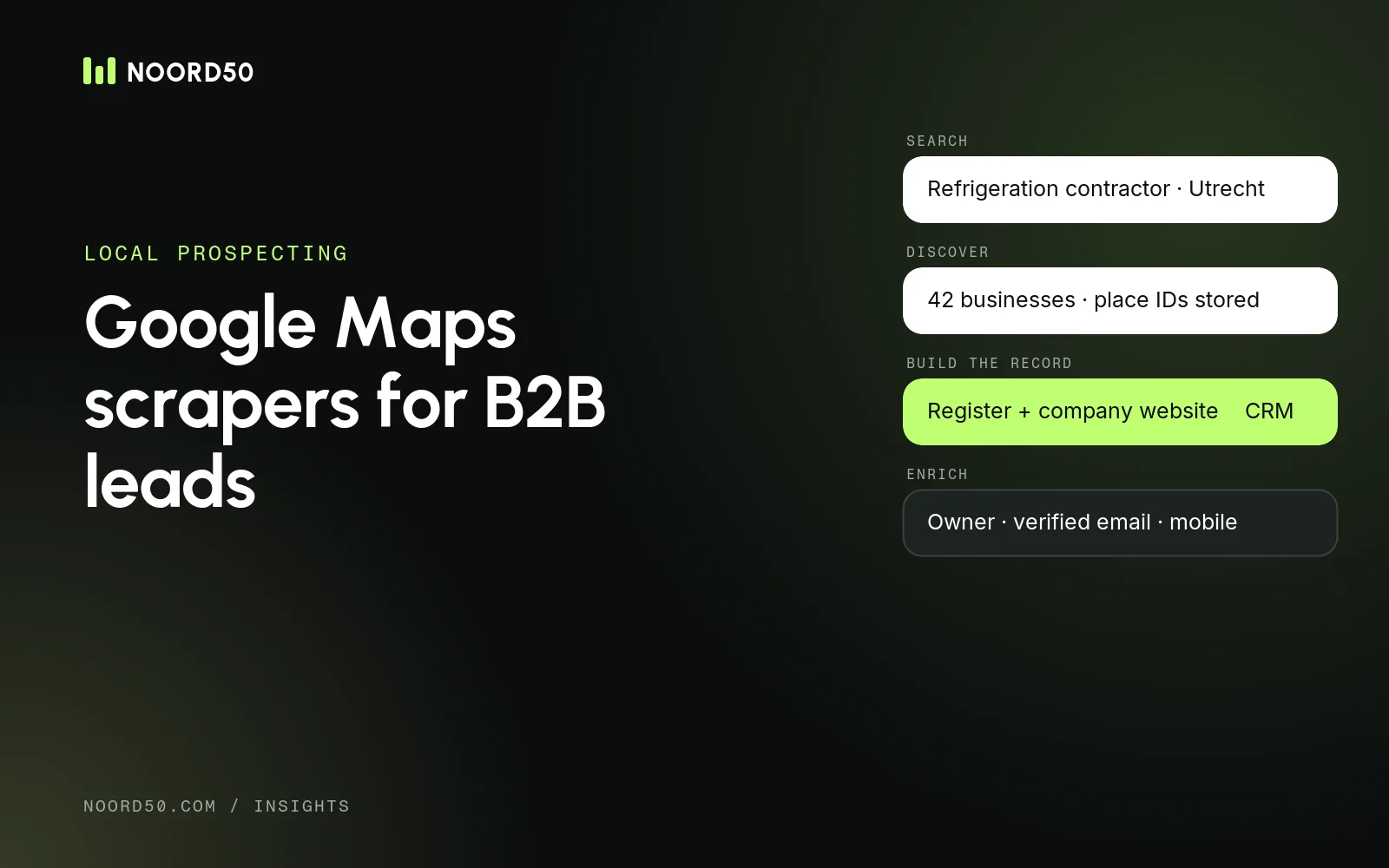
Step by step
A workflow that respects the terms
01
Define the target
Business type, region and the size that fits your offer
02
Discover
Use the Places API or manual search to find candidate businesses
03
Build the record elsewhere
Take company details from the business register and the company’s own website
04
Clean and dedupe
Merge chains and branches, drop closed businesses, flag sole traders
05
Enrich
Find decision-makers and verified contact details per domain
06
Import to CRM
Map fields, keep the source, and set an owner per account
1. Define the target
Write down the business type in the words people use on Maps (“refrigeration contractor”, “physiotherapy practice”), the regions, and what makes a business big enough for you: multiple locations, a minimum number of reviews, or a specific service.
2. Discover candidates
Use Maps manually or the Places API Text Search to see which businesses exist per city or region. Keep the place ID if you use the API, so you can look the listing up again later.
3. Build the record from sources you can keep
For each business that fits, take the company details from the business register (legal name, registration number, address) and from the company’s own website (domain, general phone number, services). These are sources you’re allowed to use and store.
4. Clean and deduplicate
- Chains and branches: group locations under one company, and decide whether you sell to the head office or the branch.
- Duplicates: match on domain first, then registration number, then normalised phone number.
- Closed businesses: drop anything marked permanently closed or with a dead website.
- Sole traders: flag them. Data about a one-person business is often personal data under the GDPR, and in the Netherlands sole traders count as consumers for telemarketing rules.
5. Enrich with people and contact details
Maps doesn’t tell you who to talk to. Search each domain in a contact database for the owner, managing director or the relevant manager, and add verified emails and, if you call, mobile numbers. Our guides to B2B data enrichment tools and finding mobile numbers for B2B prospects cover this step. Clay can run the whole enrichment in one table: domain in, company data and contacts out.
6. Import into your CRM
Map each column to a CRM field, keep the source and retrieval date, and assign an owner per account. A clean structure makes it easy to refresh the data later and to answer the question “where did you get my details?”.
CSV template for local business leads
CSV template
Columns for a clean local-business lead file
Source fields
source, source_reference, retrieved_on
Company
company_name, category, street, postal_code, city, country
Contact points
website_domain, company_phone, registry_id
Person
decision_maker_name, decision_maker_role, work_email, email_status
Workflow
crm_owner, notes
Download the CSV template (two fictional sample rows). It separates company data from person data and keeps the source of every record, which you’ll need for GDPR transparency and for refreshing records later.
Practical examples
- Selling maintenance software to installers in the Netherlands: discover installers per province on Maps, take legal names and numbers from the KVK register, find the owner or operations manager per domain, and call. Many owners of installation companies aren’t on LinkedIn, which is exactly why Maps helps.
- Selling to multi-location clinics in Germany: use Maps to see which practices operate several locations, then target the head office. Remember that a sales call to a German business needs at least presumed consent under § 7 UWG, so the reason for calling must be specific and relevant.
- Selling to restaurant groups in Belgium: group listings by owner company, and check numbers against the Belgian do-not-call list before calling.
When this is worth outsourcing
Building a local lead list takes a few days per region once you have the workflow. The harder part is calling a few hundred owners who are busy with customers all day. That’s where native BDRs who know the market make the difference. If that’s what you need, see how our CRM & data and pay-per-meeting outbound services work.
Google Maps scrapers: common questions
Is scraping Google Maps legal?
Google’s terms prohibit it: the Maps Platform terms say customers will not export, extract or scrape Google Maps content for use outside the services, and Google’s general terms restrict automated access. Whether that’s enforceable in a specific case depends on the jurisdiction and circumstances. Personal data in the results, such as sole traders’ details, also falls under the GDPR.
Can I export Google Maps results to CSV?
Not with Google’s own tools. The Places API returns data for use in your application, with limits on what you may store. Third-party tools export to CSV by scraping, which Google’s terms prohibit. For a CSV you can keep, build records from registers and company websites.
How much does the Google Places API cost?
On Google’s pricing page in November 2026, Text Search Pro cost $32 per 1,000 requests and Enterprise $35, with 5,000 and 1,000 free requests per month respectively. Place Details ranges from $5 (Essentials) to $20 (Enterprise) per 1,000. Fields such as phone number and website are Enterprise-tier.
Does Google Maps data include email addresses?
No. Listings show a phone number and website, not email addresses or the names of decision-makers. Those come from an enrichment step.
Sources