Twenty cold LinkedIn message examples you can copy, from connection requests to follow-ups, plus the strategy, limits and tools behind outreach that gets replies.
Short answer: cold LinkedIn outreach works when every message has a reason to exist. Send a short connection request (or none at all), open the conversation with something specific to that person, ask one easy question, and follow up two or three times with something new each time. Below you’ll find 20 message examples you can copy and adapt, from connection requests to follow-ups, plus the strategy, limits and tools behind them.
Most LinkedIn inboxes are full of the same three messages: a pitch disguised as a connection request, a “just bumping this” follow-up, and a calendar link from a stranger. The examples in this guide are written to avoid all three. They’re the kind of messages our BDRs would be comfortable sending under their own name.
What is cold LinkedIn outreach?
Cold LinkedIn outreach means starting a business conversation on LinkedIn with someone who doesn’t know you yet. It usually runs through three steps: a connection request, a first message once they accept, and a small number of follow-ups. You can also skip the connection and send an InMail (a paid message to someone outside your network, available with Premium and Sales Navigator).
It differs from cold email in two ways. The prospect sees your face, title and activity before they read a word, so your profile is part of the message. And the channel is conversational: long, formal messages feel out of place in a chat window, while short, natural ones fit.
Build the strategy before you write a message
Good templates can’t rescue a bad list. Before writing anything, decide four things.
1. Who exactly you’re writing to
Define the companies (industry, size, region) and the roles you want to reach. Be specific enough that you could explain why each person is on the list. “Heads of Operations at Dutch logistics companies with 50 to 500 employees” gives you something to write about. “Decision-makers in Europe” doesn’t. Read more on how we define this in our five qualification criteria.
2. Why now
The best reason to message someone is something that changed: a new role, a hiring push, a funding round, an expansion into a new country, a post they wrote, an event they’re attending. These triggers give you a natural first line and make the message feel timely instead of random.
3. What you’re asking for
On LinkedIn, the first ask should be small. A question about how they handle something today, an offer to share a resource, or permission to send more information. Asking for 30 minutes in the first message is the fastest way to get ignored.
4. Where LinkedIn fits in the sequence
LinkedIn works best alongside other channels. A connection request before a cold call, or a LinkedIn message after a call that went to voicemail, makes each touch feel less cold. In our own campaigns the phone is the main channel, and LinkedIn and email support it.
Cold LinkedIn outreach
An example outreach sequence
01
Day 0 · Connect
Blank request, or a short note under 200 characters
02
Day 1 · First message
Trigger, one line of relevance, one easy question
03
Day 4 · Follow-up 1
A new angle, not “just bumping this”
04
Day 8 · Follow-up 2
Something useful, or an easier question
05
Day 14 · Close
Check the timing politely and leave the door open
06
Throughout · Phone and email
Call or email between messages where you can
LinkedIn limits that shape your outreach
LinkedIn doesn’t publish all of its limits, and they change. A few are documented or widely observed, and they affect how you write:
- Connection notes are short. Notes are limited to 200 characters on free accounts and 300 on Premium, according to LinkedIn’s Help Center. Write every connection request below 200 characters so it works on any account.
- Free accounts get very few personalised invitations. Free members can only attach a note to a handful of invitations per month. After that, requests go out without a note. If you prospect seriously, a paid account or a blank request followed by a strong first message is the practical choice.
- Weekly invitation limits exist. LinkedIn caps how many invitations you can send per week. The exact number isn’t published and depends on your account; many outreach tools recommend staying around 100 a week or lower. A low acceptance rate and many pending invitations increase the risk of restrictions.
- InMail is metered. Sales Navigator plans include a monthly allowance of InMail credits. Use them for people you can’t reach any other way.
Connection request examples (1–5)
A connection request has one job: get accepted without triggering the “here comes a pitch” reflex. Many experienced prospectors send requests without a note and save the substance for the first message. If you do add a note, make it about them, not about you. All five examples below fit within 200 characters.
Connection requests
Pitch vs reason
✕ About you
“Hi Lisa, I’m the founder of a leading AI-powered sales platform that helps companies like yours 3x pipeline. Let’s connect so I can show you a quick demo!”
Product first, vague claim, asks for a demo before there is any interest.
✓ About them
“Hi Lisa, congrats on the new role at Brightwave. I work with a few teams in a similar spot after a leadership change. Happy to connect.”
One honest reason, no pitch, under 200 characters.
Example 1 · Shared context
Hi Sanne, saw we’re both going to Logistics & Supply Chain in Utrecht next month. Always good to know a few people before an event. Happy to connect.
Example 2 · Their content
Hi Daan, your post on moving planning out of Excel was spot on, especially the part about ownership. Would be good to follow your updates.
Example 3 · New role
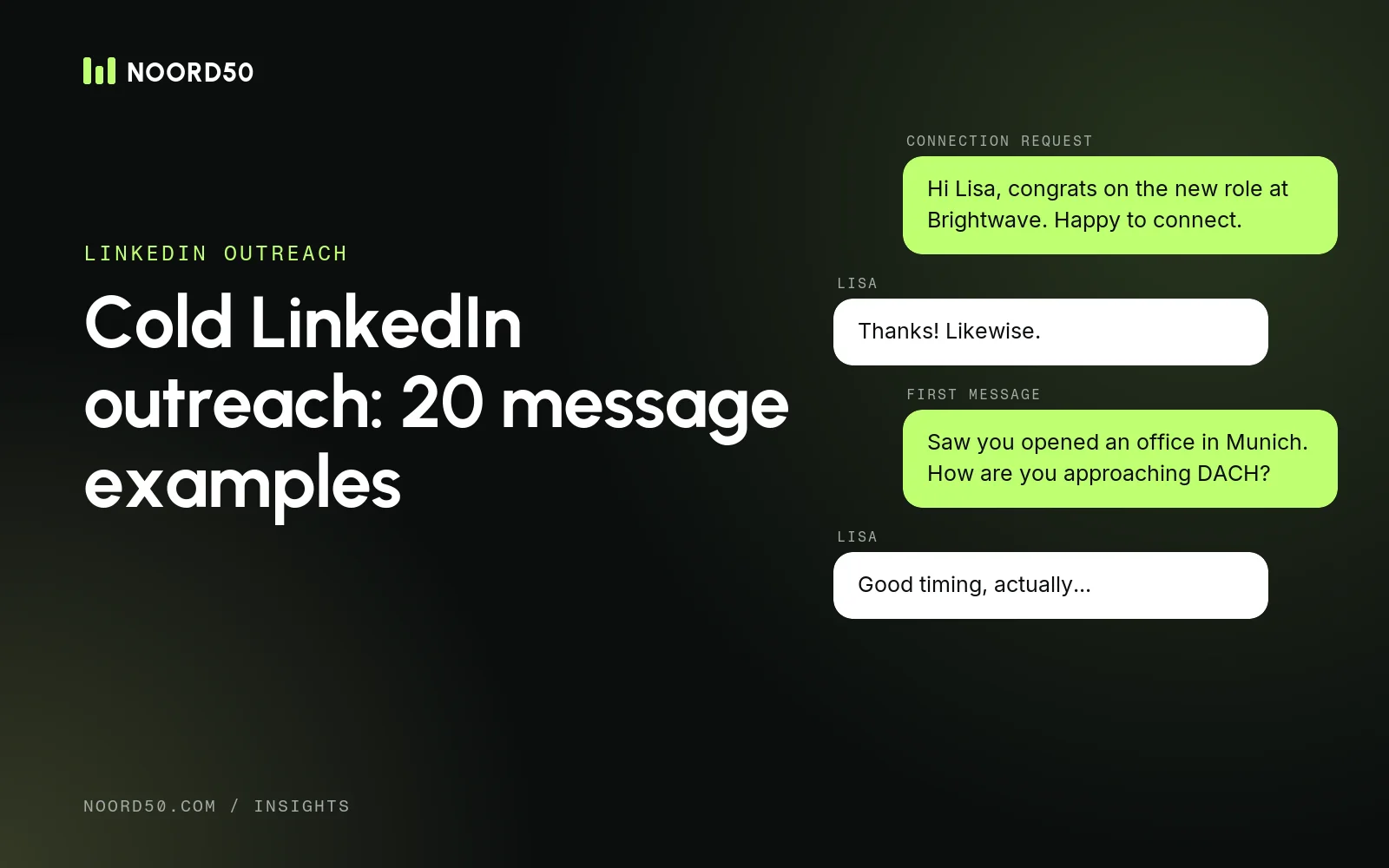
Hi Lisa, congrats on the new role at Brightwave. I work with a few teams in a similar spot after a leadership change. Happy to connect.
Example 4 · Same market, honest
Hi Tom, I speak with a lot of finance leaders at Benelux SaaS companies about collections. Thought it made sense to connect.
Example 5 · After a call or email
Hi Eva, I tried you by phone earlier today about your DACH expansion. Easier to connect here so you can see who I am.
First messages after connecting (6–10)
When someone accepts, they’ve given you permission to say one useful thing. Use it well. A first message that works usually has three parts: a reason you’re writing to them, one sentence of relevance, and one easy question.
Message structure
The anatomy of a first message
1
Trigger
“Thanks for connecting, Lisa. Saw Brightwave opened an office in Munich.”
2
Relevance
“When teams expand into DACH, the first question is usually whether to hire locally or test the market first.”
3
Question
“How are you approaching it?”
Example 6 · Trigger + question
Thanks for connecting, Lisa. Saw Brightwave opened an office in Munich. When teams expand into DACH, the first question is usually whether to hire locally or test the market first. How are you approaching it?
Example 7 · Observation about their company
Thanks for accepting, Daan. I noticed you’re hiring three account executives at once. Out of curiosity: is pipeline coming mostly from inbound today, or is outbound part of the plan for the new hires?
Example 8 · Peer insight
Hi Tom, thanks for connecting. In conversations with finance leaders at SaaS companies, late payments from mid-sized customers come up more than anything else. Is that something you see too, or is collections running smoothly at your end?
Example 9 · Resource first
Thanks for connecting, Sanne. We put together a short overview of how logistics companies in the Netherlands handle carrier onboarding, based on [number] conversations with operations teams. Happy to send it over if it’s useful. No strings attached.
Example 10 · Direct, but honest
Hi Eva, I’ll be straight with you: we help software companies book meetings with buyers in Germany and Austria. Not sure if that’s relevant for you right now, so I’d rather ask than assume. Is building pipeline in DACH on your list this year?
Note on example 9: only offer a resource you actually have. A promised guide that never arrives is worse than no message at all.
Follow-up message examples (11–15)
Most replies come after the first message, not to it. But each follow-up needs to add something: a new angle, a useful link, a different question. “Just bumping this up” adds nothing and trains people to ignore you.
Example 11 · New angle (3–4 days later)
Hi Daan, one more thought on the AE hiring. Teams that add several reps at once often find the first quarter is spent waiting for pipeline rather than selling. Is that a risk you’re planning around?
Example 12 · Share something useful
Hi Lisa, this breakdown of how buyers in Germany and the Netherlands react differently on the phone might be useful while you plan the Munich launch: [link]. Curious whether it matches what you’ve seen so far.
Example 13 · Easier question
Hi Tom, maybe an easier question: who owns collections today, you or someone in your team? Happy to direct this to the right person.
Example 14 · Timing check
Hi Eva, I don’t want to keep messaging if the timing is off. Is DACH expansion something for this year, next year, or not on the roadmap at all? Any answer helps.
Example 15 · Polite close
Hi Sanne, I’ll leave it here so I don’t clutter your inbox. If carrier onboarding becomes a priority later, feel free to reach out. Good luck at the event next month.
Personalisation examples (16–20)
Personalisation isn’t adding a first name and a company name to a template. It’s a first line that could only have been written to that person. Below are five ways to do it, each with a weak and a stronger version.
| # | Source of personalisation | Weak version | Stronger version |
|---|---|---|---|
| 16 | A post they wrote | “Loved your recent post!” | “Your point that onboarding fails in week two, not week one, made me rethink how we hand over new clients.” |
| 17 | A job change | “Congrats on the new role!” | “Congrats on the move to Brightwave. Coming from a much larger company, is the first 90 days more about fixing process or building the team?” |
| 18 | Hiring activity | “I see you’re growing!” | “Saw you’re hiring a first SDR in Amsterdam. Is that to test outbound or to scale something that already works?” |
| 19 | Company news | “Congrats on the funding!” | “Congrats on the Series A. Most teams I speak with after a round get asked for pipeline numbers quickly. Is the new plan more inbound or outbound?” |
| 20 | A mutual connection or event | “We have mutual connections.” | “Pieter mentioned you rebuilt the sales process at Vandaag last year. I’d love to hear how you approached the handover between SDRs and AEs.” |
Only mention a mutual connection if they actually know you and agreed to it. Dropping a name someone barely knows backfires the moment the prospect asks them.
Personalisation
Six sources of real personalisation
Their posts
Quote the specific point, not “great post”
Role changes
A new role brings new priorities in the first 90 days
Hiring
Job ads show where a team is investing
Company news
Funding, expansion, new products or new markets
Shared context
Events, groups and genuine mutual connections
An earlier touch
Refer back to your own call or email
How long should a cold LinkedIn message be?
Short. A useful rule: if it doesn’t fit on a phone screen without scrolling, it’s too long. For a first message, two to four sentences is usually enough. Some practical guidelines:
- One idea per message. If you have three things to say, send them as three follow-ups over two weeks.
- One question, at the end. Make it easy to answer in a few words.
- No links in the first message unless they asked for something. Links look like marketing.
- Write like you talk. Read it out loud. If you wouldn’t say it to someone at an event, rewrite it.
- Match the market. A direct, informal message that works in the Netherlands may feel too casual in Germany. See how outreach changes between DACH and the Benelux.
Common mistakes in cold LinkedIn outreach
- Pitching in the connection request. It’s the most common reason requests get ignored.
- Sending a calendar link to a stranger. It asks for a big commitment before there’s any interest.
- Fake personalisation. “I came across your profile and was impressed” tells the reader you didn’t read it.
- Following up without adding anything. “Any thoughts?” five times is not a sequence.
- Talking about yourself. Count how often you write “we” versus “you”. The ratio says a lot.
- Ignoring your own profile. Prospects check who’s messaging them. A clear headline, a real photo and a short “About” section that explains who you help do more than any template.
- Running too much volume through one account. Pushing invitation limits and getting low acceptance rates risks restrictions on the account you rely on.
Manual outreach vs automation
Automation tools can send connection requests, messages and follow-ups for you across multiple LinkedIn accounts. That saves time, but it shifts the risk: LinkedIn’s User Agreement restricts automated activity, and accounts that behave like bots can be restricted. Decide deliberately.
| Manual | Automated | |
|---|---|---|
| Best for | Small, high-value account lists; senior buyers | Larger lists where the message can be standardised |
| Personalisation | As deep as you want | Limited to variables and prepared first lines |
| Volume per sender | Limited by your time | Limited by LinkedIn’s limits and the tool’s safety settings |
| Account risk | Low when you stay within normal behaviour | Higher; LinkedIn restricts automated activity |
| Reply handling | Natural | Needs a shared inbox and someone who answers quickly |
A sensible middle ground: research and write first lines manually or with AI help, then use a tool only to schedule sends and keep track of replies. Whatever you choose, someone needs to answer replies quickly and personally.
Tools for cold LinkedIn outreach
You don’t need many tools, but the right combination saves hours. These are the categories that matter, with tools we’ve reviewed:
- Finding prospects: LinkedIn Sales Navigator for advanced search, lead lists and alerts on job changes. If you’re comparing options, see our guide to Sales Navigator alternatives.
- Enriching and personalising: Clay to pull company data, research triggers and draft first lines at scale; Apollo for a combined contact database and sequencing. Our overview of B2B data enrichment tools compares the main options.
- Sending and managing conversations: HeyReach for running LinkedIn outreach across several sender accounts with a shared inbox; alternatives include Expandi, Waalaxy and lemlist (which combines LinkedIn and email).
- Adding the phone: LinkedIn messages and calls reinforce each other. If you need direct numbers, see how to find mobile numbers for B2B prospects.
Browse all categories in our sales tools directory.
A simple workflow to get started
- Build a list of 50 to 100 people that match a narrow ICP.
- For each, note one trigger: a post, a role change, hiring, company news or an event.
- Send connection requests without a note, or with a short note based on the trigger.
- Send a first message within a day of acceptance, using the three-part structure.
- Follow up two or three times, each time with something new, then close politely.
- Track acceptance and reply rates per message, and rewrite what doesn’t work.
When you’re ready to scale beyond what one person can handle, it’s usually time to combine LinkedIn with calling. That’s how our BDRs work: native speakers who call, email and message in the prospect’s language. See how pay-per-meeting outbound works, or what to expect from an SDR’s monthly output.
Cold LinkedIn outreach: common questions
Is cold outreach on LinkedIn allowed?
Yes, messaging people you don’t know is a normal use of LinkedIn, within its limits and Professional Community Policies. LinkedIn’s User Agreement does restrict automated activity and scraping, so check how any tool you use interacts with LinkedIn. If you store prospect data outside LinkedIn, privacy rules such as the GDPR apply as well.
Should I add a note to my connection requests?
Only if the note gives a genuine reason to connect. A blank request followed by a strong first message often works just as well, and free accounts can only add a note to a few invitations per month anyway.
How many follow-ups should I send on LinkedIn?
Two or three after the first message is usually enough, spread over about two weeks. Each follow-up should add something new. After that, close the conversation politely and try again later if there’s a new reason to.
Is InMail better than a connection request?
Not by default. InMail lets you reach people outside your network, but it uses paid credits and reads more like a formal sales message. Use it for important prospects who don’t accept connection requests, and keep it as short as a normal message.
Sources